Sass darken and lighten functions replace with color.adjust in Visual Studio CodeArticle contains
  1. Automatically replacing Sass darken and lighten functions with color.adjust in All Files with Visual Studio Code
  2. Important notes on the replacement process
Accessibility overlays - demystifying secretsArticle contains
  1. What accessibility overlay is?
  2. How does accessibility overlay work?
  3. How do I add widgets to accessibility?
  4. Can automated accessibility tools really fix all issues?
  5. Are accessibility overlays WCAG compliant?
  6. Is it possible for an overlay product to prevent the legal risk?
  7. Why do accessibility overlays often break page layout and behavior?
    1. Soft issues
    2. Hard issues
  8. Summary in bulletpoints
  9. Business perspective
  10. The recommended solution
  11. Other resources
Sitelint presentation at CSUN Assistive Technology ConferenceArticle contains
  1. Description
  2. Audience
CSUN Conference logo 2023

Sitelint presentation at CSUN Assistive Technology Conference

We’ll have the presentation An Approach to Real-Time, Client-Side Accessibility Audits at CSUN 2023 Conference .

Description

SiteLint is Google Analytics for Accessibility. The platform allows users to monitor and audit unlimited sites, in real-time, without crawling or auditing in specific time intervals. Users can collect results from real users, networks, and devices, which will improve significantly the remediation process by knowing which pages reported the most issues. This session will provide a demo of SiteLint and talk about the technical challenges overcome.

Audience

  • Higher Education
  • Information & Communications Technology
  • Government
  • Finance & Banking
  • Research & Development
How to embed a PDF in HTML without downloading itArticle contains
  1. Embedding PDFs in HTML with a step-by-step guide
  2. Sample code for embedding PDFs in HTML without using third-party plugins
  3. Practical Example for embedding PDFs in HTML and CSS
    1. Object and iframe
    2. Alternatively, only iframe
  4. What happens if the PDF is too large to fit within the iframe or viewer provided by the cloud service?
  5. Bonus: pdfViewerEnabled property
Why is the image srcset attribute not working on the page?Article contains
  1. Root causes that are commonly encountered
  2. How does the browser determine which image should be used under some set of media conditions?
    1. What does srcset mean?
    2. The attribute sizes
  3. The user visits your site with the iPhone 8 Plus. Which image will be used?
  4. Modern improvements: sizes="auto" and lazy loading
  5. Is there a better way of testing responsive images?
  6. Real example
  7. SEO aspects
  8. Viewport size for devices
WordPress Spam Prevention for Contact Form 7 and CommentsArticle contains
  1. How do I stop spam emails from my WordPress Contact Form 7?
  2. How do I stop spam emails from my WordPress Comment form?
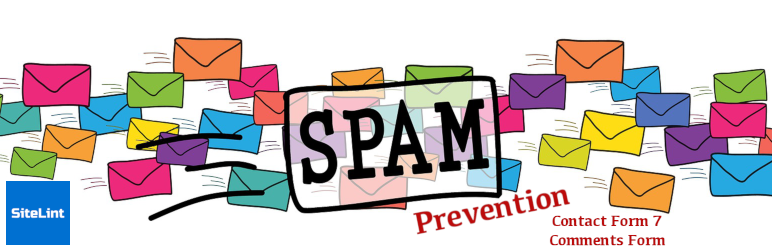
A banner with a lot of envelops representing spam

WordPress Spam Prevention for Contact Form 7 and Comments

Spam can be a major nuisance for any website owner, and WordPress is no exception. With the popularity of Contact Form 7 plugin and comments, it’s important to take measures to prevent spam from clogging up your website and causing problems. In this article, we’ll explore some effective strategies for preventing spam in WordPress, specifically for Contact Form 7 and comments.

To help with blocking, we have created WordPress plugin called Spam Prevention for Contact Form 7 and Comments that do not require any maintenance.

Continue reading “WordPress Spam Prevention for Contact Form 7 and Comments”
Flush (Delete or Empty) MongoDB log fileArticle contains
  1. Locating your MongoDB logs
  2. Clearing the current MongoDB logs
  3. Deleting the old MongoDB logs
  4. Determining the size of the MongoDB log directory
  5. Rotating MongoDB log files: a comprehensive guide
    1. Starting the rotation process: tips and tricks
Hundreds of drawers symbolizing a large amount of occupied space

Flush (Delete or Empty) MongoDB log file

Sometimes the database might work slowly and one of the reasons is a large log file. Tracking database activity is crucial for performance and issues monitoring. However, the log file may grow and therefore may cause the performance issue because of more and more writing and reading on a larger and larger log file. We may avoid such problems by scheduling regular log rotation and keeping the log file size below a defined threshold. Let’s get started on figuring out how to address this issue.

Continue reading “Flush (Delete or Empty) MongoDB log file”
Accessibility and PerformanceArticle contains
  1. Unveiling user impacts: Understanding the relationship between Accessibility and Performance
  2. The technical side of Accessibility and Performance
  3. The power of Performance: How it influences Accessibility for users
  4. Optimizing for both Accessibility and Performance
  5. Conclusion: Balancing Accessibility and Performance for a better user experience
Two snails on a piece of wood

Accessibility and Performance

Performance and accessibility are two important aspects of web development. Since they are related, optimising one might result in improvements in the other.

Web performance is all about making websites fast: loading, rendering, and interacting.

When pages load slowly or have a lot of content to load, the experience can be very clunky and unpleasant for all users. More resources to download also mean more data that needs to be transferred through the network and processed. Let’s explore the user and business impact and how this could be improved.

Accessibility focuses primarily on making websites usable for people with disabilities. However, many accessibility requirements also improve usability for everyone. For example, good color contrast means all users can see your content no matter what device they’re using or the lighting in their surroundings.

Continue reading “Accessibility and Performance”


Best practices for writing good alt textArticle contains
  1. Good and bad alt text example
  2. The alt text and what to include - best practice
  3. Supplemental information
  4. Usage scenarios
  5. Example code
  6. Final words
What is a Single Page Application?Article contains
  1. What is the difference between Single Page Application and Multi Page Application?
  2. Benefits of Single Page Applications
  3. The Downsides of Single Page Applications
  4. SEO and crawling challenges
  5. Single page app example sites
Single Page Application

What is a Single Page Application?

A Single Page Application (SPA) is a web application or website that works within a web browser and only loads one document. It does not require page refreshing while in use, and the majority of its content remains unchanged with only minor updates.

Primary goal is to enable faster transitions and make the web application or website feel more like a native application.

Continue reading “What is a Single Page Application?”