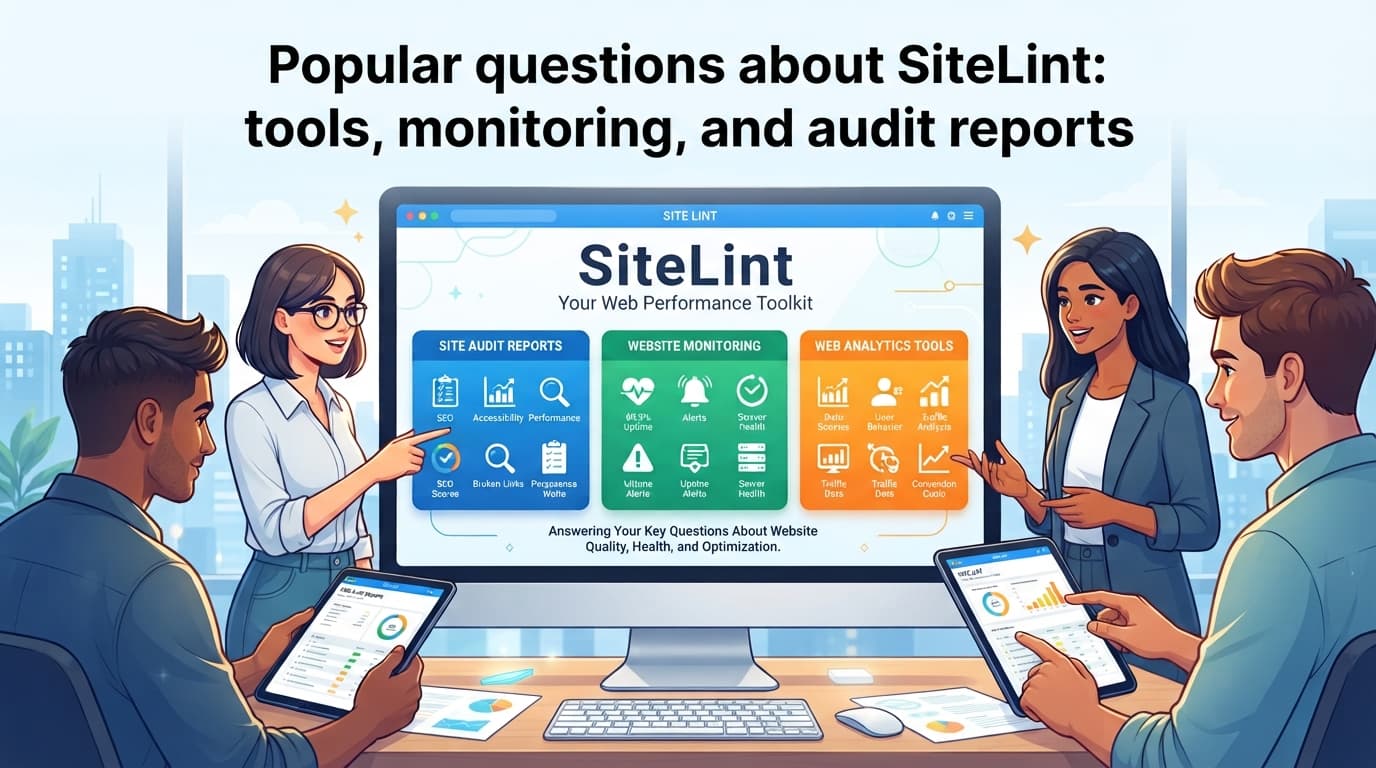
Popular questions about SiteLint: tools, monitoring, and audit reports
Answers to common SiteLint questions about tools, monitoring, Lighthouse, reporting, statements, and pricing.
SiteLint is a web quality platform for accessibility, performance, security, and technical SEO. It combines automated auditing through its own Auditor engine – more than 280 rules across four audit types — with manual audit workflows, real-user monitoring, crawler-based scanning, team reporting, and accessibility statement generation. The performance and security checks are audits within SiteLint’s scope; they complement but do not replace a dedicated security assessment or lab-based performance testing such as Lighthouse.
This FAQ explains how SiteLint relates to Auditor, how it compares with tools such as WAVE, ANDI, axe, IBM Equal Access, Silktide, and Lighthouse, and how its reporting and pricing model works.
The SiteLint browser extension is free and useful for checking individual views, while the full platform is designed for continuous monitoring, team workflows, reporting, and sites with complex or high-traffic journeys.
What is Auditor, and how does it relate to SiteLint?
Auditor is SiteLint’s standalone audit engine for HTML-based content. It is cross-browser and cross-environment, used by @sitelint/mcp-server (SiteLint’s Model Context Protocol server), the SiteLint Web Audit Tools Chrome extension, and as a standalone script tag on websites/web apps to perform audits in real time on the user’s side environment. It runs offline in the browser.
It ships with more than 280 built-in rules organized into four audit types: accessibility, performance, security, and technical SEO. Accessibility rules map to WCAG 2.0, WCAG 2.1, WCAG 2.2, EN 301 549, and Section 508 (US), while SiteLint Best Practices cover rules that are not tied to a formal standard. Each rule can produce an error, warning, or pass. Errors and warnings are prioritized by severity: critical, high, or low, and results carry categories such as ARIA, forms, headings, images, links, tables, and videos. For rules that automation cannot decide reliably, Auditor and the SiteLint Platform provide manual verification testing with predefined verification steps for supported WCAG Success Criteria, so auditors can document whether each finding was verified, accepted, or remediated.
Auditor exposes a JavaScript API (Promise or callback style) for scan context, locale, async execution, element references, and lifecycle events such as onValidatorStarted and onValidatorComplete. No single engine or tool can certify a website as accessible – tools use different rule sets and interpretation models, so comparing them on the same page can produce different findings. The result should be reviewed in context rather than treated as a direct, one-to-one score.
The SiteLint Platform is built around Auditor as its rule audit engine, adding centralized management on top: real-user monitoring, crawler-based scanning, a team workspace, user feedback recordings, inventory, audit history, manual test verification, exports, accessibility statement generation, and Stripe-based billing. Auditor itself is the scanning core and the Platform is the layer that organizes, stores, monitors, and reports on its findings at scale.
How is SiteLint different from WAVE?
WAVE is a useful point-in-time inspector for quickly identifying accessibility issues in a single page view. It is particularly effective for developers and auditors who want a visual overview of a page while working on it. Its automated report can help reveal missing alternative text, heading problems, landmarks, contrast concerns, and other detectable barriers.
SiteLint extends that point-in-time approach. Its own rule engine (Auditor) supports a broader audit workflow that includes web accessibility alongside performance, basic security checks, and technical SEO. It also supports dynamic testing: checks can run when the DOM changes after an interaction instead of only when the initial page loads. Complex flows may still require scripted testing, manual QA, or user testing.
The practical difference is scope. A WAVE scan is well suited to examining a page that is open in the browser. SiteLint is intended to inspect the complete experience across normal and dynamic states, organize automated and manual findings, and monitor behavior in real browsers over time.
What can users check with SiteLint that WAVE may miss?
Automated tools do not detect every accessibility problem, and no static comparison should be treated as absolute. However, SiteLint can add visibility into several areas that are easy to overlook:
- Dynamic content revealed by menus, dialogs, accordions, notifications, and form validation.
- Interactive states that appear only after login or after products are added to a shopping cart.
- Performance, security, and technical SEO findings in the same audit environment.
- Manual WCAG verification tasks that connect contextual evidence to an audit result.
- Developer tools for examining focus, semantics, table structure, text direction, overflow, link destination page title, and target size.
This makes WAVE and SiteLint complementary in many workflows: WAVE can be a fast visual check, while SiteLint can provide a wider and more continuous audit record.
How does SiteLint compare with ANDI?
ANDI is valuable for manual investigation of accessible names, focus, and table structure. These topics require careful interpretation, and tools that expose that information can help an auditor verify whether assistive technology receives a meaningful representation of the interface.
SiteLint also provides a broad set of tools for auditing and development, while going further with automated rules and centralized audit management. It includes capabilities for reviewing ARIA attributes and roles, heading hierarchy, landmarks, alternative text, screen-reader-hidden content, and language detection.
Which SiteLint tools support auditor workflows?
Depending on the test being performed, auditors can use SiteLint to inspect or test:
- Focusable elements and keyboard-related navigation.
- A visual 24 by 24 pixel touch-target indicator.
- Heading hierarchy, landmarks, accessible names, and ARIA usage.
- Text spacing and content overflow.
- Pages with CSS disabled and pages with left-to-right or right-to-left text direction.
- Broken links and missing or problematic link titles.
In other words, ANDI is particularly useful as a focused manual inspection tool. SiteLint combines manual-test context with automated auditing and a management workflow for documenting whether findings were verified, accepted, or remediated.
Can results be compared across different tools?
Some findings can be compared when they correspond to the same HTML problem, such as missing form labels or duplicate IDs. However, exact comparisons are not always straightforward because tools may:
- Flag the problem at different stages of page rendering.
- Use different wording or issue categories.
- Combine or split rules.
- Classify a result as an automatic violation, a warning, or a manual verification.
- Apply different detection limits to dynamic content.
A fair comparison should therefore compare the underlying evidence and reproduction steps, not only the total issue count.
How does real-user monitoring differ from crawler monitoring?
Silktide and similar crawler-based services examine a website from a scheduled or on-demand external scan. A crawler requests pages, follows links, and checks the returned states, so it can audit all pages that are reachable from the starting point. This is useful for broad discovery, but a crawler may not naturally reach personalized, authenticated, or highly interactive states, and it treats every reachable page the same regardless of whether anyone actually visits it.
SiteLint takes a different approach through real-user monitoring. A small script HTML element is installed on the website and runs in the visitor’s browser. It observes the pages that real users actually visit — not every page that a crawler can reach — so the findings reflect the parts of the site where traffic and issues intersect. This makes remediation planning more effective: with limited time and people, teams can prioritize fixing issues on pages where users are visiting now, rather than spending effort on pages that nobody has seen in months. Pages that were not visited for a long time still need to be fixed eventually, but real-user monitoring helps the team focus first on where it matters the most. SiteLint also retains crawler-based scanning for scheduled discovery, so the two approaches can be used together rather than being mutually exclusive.
It is important to distinguish between the two approaches:
- Client-side auditing (script). The SiteLint
scriptruns in each visitor’s browser and audits the pages that actual users see, including dynamic states after interactions (menus, dialogs, accordions, form validation). It reflects the DOM as real users experience it. - Crawler-based scanning. The SiteLint crawler is a separate Platform feature that requests pages from your sitemap or discovered URLs and audits them from an external, scheduled scan. It can reach pages that no user has visited recently, and it can show you which pages in your sitemap were actually audited by the client-side script versus which were only reached by the crawler.
Because the crawler and the script observe pages under different conditions, their results may differ. A page might pass in a crawler scan but reveal issues in real-user monitoring (or vice versa) because the script captures dynamic states and personalized views that the crawler never sees. You can inspect which pages the crawler visited and how its results compare with client-side findings in the SiteLint Platform.
Real-user monitoring does not replace crawler-based testing or an experienced auditor. It complements them by revealing where accessibility issues occur in practice and which user journeys deserve closer review.
What are the main advantages of real-user monitoring?
| Crawler monitoring | Real-user monitoring |
|---|---|
| Visits pages in scheduled or automated scan sessions. | Observes pages inside real browser sessions as users interact with them. |
| May miss states that require login or a specific sequence of actions. | Can detect states created by successful, unsuccessful, or interrupted journeys. |
| Usually depends on the crawler’s available browser conditions. | Captures the browser, device, settings, and interaction states of visitors whose sessions include the SiteLint script, subject to browser support and site configuration. |
| Provides a snapshot after an external visit. | Creates a continuous stream of findings from deployed code and real interactions. |
| May require optimization to limit server load and scan duration. | Can begin collecting relevant DOM states shortly after the script is deployed. |
Real-user monitoring does not replace crawler-based testing or an experienced auditor. It complements them by revealing where accessibility issues occur in practice and which user journeys deserve closer review.
What are the challenges of real-time observability?
Real-time observability through a browser script brings practical considerations. First, installing a monitoring script on a production site may require approval from the security team – for example, passing a security audit or updating the Content Security Policy to allow the script to load and report findings. Second, some stakeholders may wonder what data the script collects. SiteLint collects only the HTML content related to each issue – not the whole page — and it offers an option to strip out all text and clear form controls, which effectively sanitizes the HTML before anything leaves the browser. This limits the risk of sending personal or sensitive data while still keeping the structural and semantic information needed for further auditing.
Why does a Lighthouse score of 100 not prove that a page is accessible?
Lighthouse is a browser performance and quality tool that runs a curated subset of axe-core rules (roughly 30 of axe-core’s 100+ rules) for its accessibility checks. A perfect score does not mean that every WCAG requirement passes. It only means that the automated checks run at that point did not find an issue in their tested state.
Lighthouse commonly evaluates a static snapshot after the initial load. It cannot determine every meaningful factor in a complete user experience, including keyboard logic, reading order, understandable error recovery, meaningful link purpose in context, or whether a screen-reader user can operate a custom control successfully.
How does SiteLint address the limits of a Lighthouse snapshot?
SiteLint addresses the gap at several levels:
- Dynamic-state monitoring: the script can analyze DOM changes when a dialog opens, an accordion expands, or form validation appears.
- A wider rule and warning set: in addition to clear violations, contextual warnings can identify areas that deserve manual review. Examples include uncertain alternative text, vague link text, and potentially disruptive context changes.
- Manual test management: findings can be assigned to structured checks for keyboard use, screen-reader behavior, focus order, and other requirements that automation cannot decide reliably.
- Continuous reporting: teams can compare findings over time instead of relying on isolated test runs.
The most reliable process combines automated checks, real-user evidence, manual testing, and testing with assistive technologies.
Can SiteLint reduce the time needed for an accessibility audit?
SiteLint can reduce the time spent waiting for broad crawl results and repeatedly reproducing the same dynamic states. For a large retail or corporate site, a conventional crawler may take two or three days to complete a large scan while limiting requests to avoid overloading the server. It will still have difficulty reaching personalized views and user-triggered states.
After installation, real-user monitoring begins collecting evidence from relevant visits instead of waiting for a separate crawl window. Teams can prioritize pages and journeys where issues already occur, then use the browser tools to reproduce findings locally.
What does continuous monitoring save for a development team?
- It eliminates the need to coordinate every future test around a crawler schedule.
- It identifies regressions soon after deployed code changes affect real interactions.
- It gathers context from actual journeys instead of only from the initial page state.
- It reduces time spent manually documenting repeated automated findings.
- It provides a starting point for manual testing instead of a separate, unstructured checklist.
Time savings vary with site size, traffic, test depth, and team process. The main benefit is not replacing auditors, but helping the team spend less time discovering where to look and more time fixing and verifying the issues.
How can audit results become a client report or accessibility statement?
SiteLint can export audit results that combine automated findings with completed manual tests. The export can be shared with developers, clients, procurement teams, or accessibility consultants as a practical record of the work completed.
The platform also includes an accessibility statement generator. It creates a document from the site’s current audit data and can reflect unresolved issues identified at the time of generation. This is more accurate than a generic template that does not know the state of the website. Accessibility statement requirements vary by jurisdiction and organization type. SiteLint’s generator helps draft a statement from audit data, but the final statement should be reviewed for legal and policy requirements.
What should a useful accessibility report include?
A report should identify at least:
- The scope and tested URLs or application flows.
- The date and tools used.
- The WCAG conformance target or applicable standard.
- Automated findings and the reproduction steps for each issue.
- Manual test results and evidence.
- Resolved, unresolved, and not-yet-evaluated items.
- Responsible teams and target remediation dates where available.
An accessibility statement should describe the actual scope and known limitations of the service. It should be reviewed and updated when the conformance state changes.
Who should use the browser extension, and who should use the platform?
The SiteLint browser extension (Chrome, Chromium, Edge, also usable as a bookmarklet) runs the Auditor engine directly in the browser and works offline. Install it from the Chrome Web Store (SiteLint Web Audit Tools). It is a practical starting point for checking individual pages, diagnosing live-site issues, and experimenting with SiteLint’s testing tools before moving to the full platform.
The extension opens as a DevTools panel and a Side Panel. The DevTools panel has deeper integration – it can highlight elements on the page, jump straight to the DevTools Elements tab with the corresponding HTML element selected, and access the full accessibility tree via the Chrome DevTools Protocol (Accessibility.getFullAXTree). The Side Panel offers a lighter, always-available view but does not have access to those DevTools-internal features.
The extension’s built-in capabilities include:
- Accessibility: automated checks aligned with WCAG and related requirements such as the ADA and the European Accessibility Act (EAA); open Shadow DOM traversal to audit Web Components; ARIA, landmarks, headings, focus, and target-size checks.
- Images: lists all images on a page, flags those missing alternative text, and can generate alternative descriptions using AI (Google Gemini Nano) directly in the extension — locally, privately, and offline. (Availability depends on your browser and device; generated descriptions should be human-reviewed before publishing.)
- PDF: private, local PDF accessibility validation (PDF/UA, WCAG, best practices) where nothing is uploaded to any server.
- Runtime: continuous collection of runtime issues — JavaScript errors and unhandled rejections, console errors and warnings, network failures (fetch and XHR), failed resources (images, scripts, links, iframes, video, audio), page-load and user-interaction events.
- Reporting & privacy: EARL-format reporting aligned with WCAG Success Criteria, PDF export of findings, and zero telemetry unless you explicitly opt in.
The full SiteLint platform is intended for performing audits and collecting results automatically on any website that you own or are authorized to audit — it is especially handy for larger websites and teams that need continuous, real-user monitoring, audit history, manual test management, multi-page reporting, and accessibility statement generation. It is especially relevant for e-commerce sites and organizations that maintain many products, localized journeys, or frequently changing interfaces.
What SiteLint does not do
- Does not crawl every page automatically. Real-user monitoring observes pages that actual visitors reach; pages no one visits are not scanned unless included in a crawler-based scan.
- Does not certify accessibility conformance. Automated checks catch detectable barriers only. WCAG conformance requires manual testing, assistive-technology testing, and human judgment.
- Does not replace manual QA or assistive-technology testing. Complex user journeys, custom components, and contextual issues still need human review.
- Does not replace dedicated security or performance engineering. Basic security and performance checks are within scope, but specialized tools or dedicated security scanners go deeper.
How are SiteLint plans priced?
SiteLint offers a free starting plan for smaller projects and paid tiers that scale according to factors such as the number of sites or pages and monthly website traffic. Billing is handled through Stripe, with paid subscriptions including a trial period and an annual discount option. See the official pricing page for exact plan limits and current prices before purchasing.
The following selection guide can help:
| Need | Suggested starting point |
|---|---|
| Quick checks while building or reviewing a single view | Free browser extension |
| A small project needing regular reports and basic audit workflows | Free platform plan or a plan appropriate for project size |
| A large or frequently changing site | Full platform with real-user monitoring and team workflows |
| Client-facing audits and accessibility statements | Platform plan with export and statement-generation features |